Restaurant Supplier List Template: What to Track, Review & Update
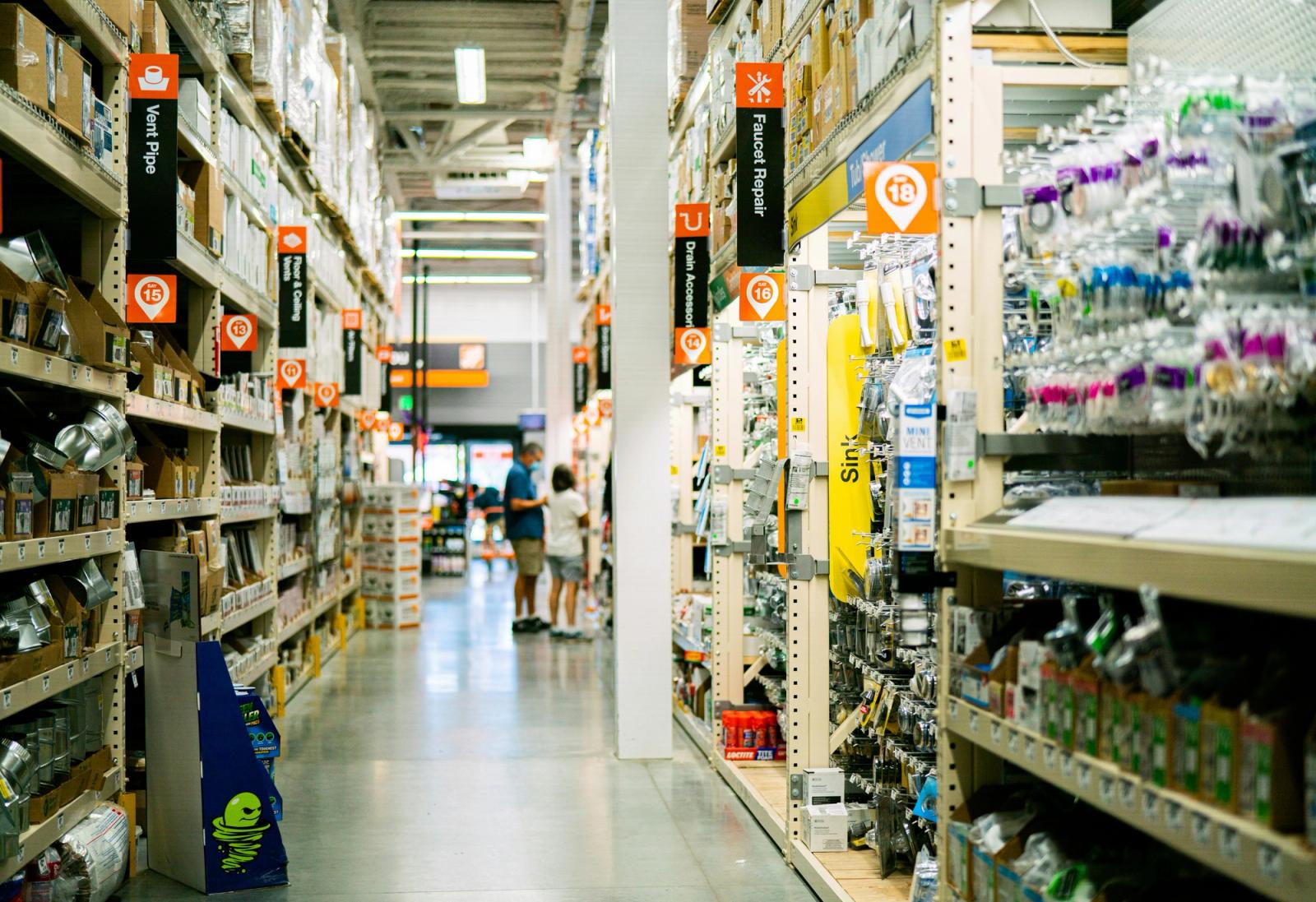
A restaurant may work with only a few suppliers at the beginning.
Then the list grows.
Produce comes from one company. Meat comes from another. Coffee, packaging, cleaning products, beverages, bakery items, and emergency purchases may all come from different places.
Soon, important supplier information is spread across:
- invoices
- text messages
- spreadsheets
- paper notes
- staff memory
A simple restaurant supplier list solves a surprisingly large part of this problem.
It gives the team one place to see:
- who supplies each product
- who to contact
- what day to order
- when deliveries normally arrive
- current or recent prices
- minimum order requirements
- payment terms
- backup suppliers
- supplier issues that need follow-up
You do not need a complicated procurement system to start.
A clear supplier list is enough.
Restaurant Supplier List Template
Here is a simple structure you can copy into a spreadsheet, document, or supplier-management app.
Supplier: Green Valley Produce · Category: Produce · Main Products: Tomatoes, lettuce, onions · Contact: orders@example.com · Order Day: Mon / Thu · Delivery Day: Tue / Fri · Minimum Order: 1,500 SEK · Payment Terms: 14 days · Last Price Check: 8 Oct · Notes: Usually reliable
Supplier: North Foods · Category: Meat · Main Products: Chicken, beef · Contact: +46 XX XXX XX XX · Order Day: Tue · Delivery Day: Wed · Minimum Order: 2,500 SEK · Payment Terms: 30 days · Last Price Check: 6 Oct · Notes: Confirm substitutions
Supplier: City Roasters · Category: Coffee · Main Products: Espresso beans · Contact: sales@example.com · Order Day: Fri · Delivery Day: Mon · Minimum Order: 10 kg · Payment Terms: Card · Last Price Check: 4 Oct · Notes: Backup blend available
Supplier: Pack & Go · Category: Packaging · Main Products: Cups, lids, takeaway boxes · Contact: portal order · Order Day: Wed · Delivery Day: Fri · Minimum Order: 1 carton · Payment Terms: Invoice · Last Price Check: 1 Oct · Notes: Check lid compatibility
The exact columns can change depending on your restaurant.
The important thing is that everyone knows where the latest supplier information lives.
What Should Be Included in a Restaurant Supplier List?
A useful supplier record should contain more than a company name and phone number.
1. Supplier Name
Use the official supplier or company name.
If your team uses a nickname internally, keep the official name as well so invoices and orders are easy to match.
2. Category
Categories make long supplier lists easier to scan.
Common restaurant supplier categories include:
- produce
- meat
- seafood
- dairy
- bakery
- dry goods
- beverages
- coffee
- packaging
- cleaning products
- equipment
- maintenance
A small café may only need five or six categories.
A larger kitchen may need more.
3. Products Supplied
Write down the main items you normally buy from each supplier.
This does not need to be a full catalog.
For example:
Supplier: City Roasters Products: Espresso beans, decaf beans, filter coffee
This makes it much easier for another manager to know who to contact when something runs low.
4. Contact Information
Keep the contact method the team actually uses.
That might include:
- account manager
- phone
- ordering portal
- emergency contact
If ordering must be made through a portal, record that too.
5. Order Days and Cut-Off Times
Knowing the supplier is not enough.
You also need to know when the order must be placed.
For example:
> Order by Monday 14:00 for Tuesday delivery.
This is especially important for kitchens that only receive certain categories a few times per week.
A missed cut-off can become an emergency purchase later.
6. Delivery Days
Record the normal delivery schedule.
Examples:
- Monday, Wednesday, Friday
- every Tuesday
- next-day delivery
- twice per month
If the supplier has different lead times for special products, note that too.
7. Minimum Order
Some suppliers require:
- a minimum order value
- a minimum number of cases
- a minimum weight
- delivery fees below a threshold
Keeping this visible helps avoid unnecessary delivery fees or rejected orders.
8. Payment Terms
Examples include:
- card on order
- 14-day invoice
- 30-day invoice
- direct debit
- cash on delivery
This is useful operational information, especially when more than one manager places orders.
9. Price History
You do not need to record every price forever.
But it is useful to know when key ingredients change significantly.
Track at least:
- current or recent price
- previous price where useful
- date of last price check
If olive oil rises from 850 SEK to 1,050 SEK per case, that is worth noticing.
10. Notes and Supplier Performance
A notes field can capture operational details such as:
- frequently substitutes products
- very reliable
- usually arrives before 08:00
- check invoice quantities
- requires order confirmation
- packaging quality varies
- emergency delivery available
These notes become useful when purchasing responsibility changes hands.
Supplier List vs Product List
These are related, but they are not the same.
A supplier list answers:
> Who do we buy from?
A product or inventory list answers:
> What do we currently stock?
The two should connect.
For example:
Inventory item: Roma tomatoes Preferred supplier: Green Valley Produce Backup supplier: Local Market Foods Par level: 12 kg Order unit: 5 kg case
This is where restaurant inventory management and restaurant supplier management start to support each other.
Add a Backup Supplier for Critical Items
Not every product needs a backup supplier.
But critical items probably should.
Examples:
- cooking oil
- milk
- coffee beans
- bread
- core proteins
- takeaway packaging
A backup supplier can prevent a small delivery problem from becoming a service problem.
Add a simple field:
Product: Whole milk · Preferred Supplier: DairyCo · Backup Supplier: Local Wholesale
Product: Espresso beans · Preferred Supplier: City Roasters · Backup Supplier: North Coffee
Product: Takeaway cups · Preferred Supplier: Pack & Go · Backup Supplier: Restaurant Supply AB
Even if you rarely use the backup, having the information ready saves time.
Track Supplier Prices Without Creating a Huge System
Restaurant teams often know that prices are rising, but not exactly where.
A lightweight price-review table can help.
Product: Olive oil case · Supplier: Supplier A · Previous Price: 850 SEK · Current Price: 1,050 SEK · Change: +200 SEK · Last Checked: 8 Oct
Product: Chicken breast · Supplier: Supplier B · Previous Price: 89 SEK/kg · Current Price: 94 SEK/kg · Change: +5 SEK/kg · Last Checked: 7 Oct
Product: Coffee beans · Supplier: Supplier C · Previous Price: 185 SEK/kg · Current Price: 192 SEK/kg · Change: +7 SEK/kg · Last Checked: 4 Oct
You do not need to track every product.
Focus on:
- high-cost ingredients
- products purchased frequently
- items with volatile prices
- products that have a large impact on menu margins
A supplier list becomes much more useful when it helps the restaurant notice purchasing changes instead of just storing contact details.
Review Suppliers Regularly
A supplier can be inexpensive and still create operational problems.
Review suppliers using practical questions.
Reliability
- Do deliveries arrive when expected?
- Are orders complete?
- Are substitutions communicated?
Quality
- Is the product quality consistent?
- Are damaged items common?
- Are expiration dates acceptable?
Price
- Are prices competitive?
- Do prices change unexpectedly?
- Are delivery fees reasonable?
Communication
- Is it easy to resolve mistakes?
- Can you reach someone when there is a problem?
- Are order confirmations clear?
Flexibility
- Can the supplier handle emergency orders?
- Can quantities be adjusted?
- Is there a reasonable minimum order?
You do not need a complex score.
Even a simple 1–5 rating can make supplier reviews easier.
Simple Restaurant Supplier Scorecard
Supplier: Supplier A · Reliability: 5 · Quality: 4 · Price: 3 · Communication: 5 · Overall: 4.25
Supplier: Supplier B · Reliability: 3 · Quality: 5 · Price: 4 · Communication: 3 · Overall: 3.75
Supplier: Supplier C · Reliability: 4 · Quality: 4 · Price: 5 · Communication: 4 · Overall: 4.25
The purpose is not to create bureaucracy.
It is to make recurring supplier problems visible.
Connect Suppliers With Low-Stock Items
Supplier management becomes more useful when it is connected to inventory.
Imagine this workflow:
- Milk reaches its low-stock level.
- The team can immediately see the preferred supplier.
- They know the order cut-off.
- They know the normal delivery day.
- The item can be added to the next order or shopping list.
That is much easier than searching through old invoices or messages.
If stock visibility is still a problem in your restaurant, start with KitchFlow's guide to restaurant inventory management.
Connect Supplier Management With Daily Tasks
Purchasing creates recurring operational work:
- review low-stock items
- prepare supplier order
- submit order before cut-off
- confirm delivery
- receive goods
- check quantities
- report missing products
- update stock
These tasks should not live only in someone's memory.
They can be added to a daily or weekly checklist.
See the Daily Kitchen Checklist Template and KitchFlow's kitchen task management page.
Check Deliveries When They Arrive
Supplier management does not end when the order is submitted.
When a delivery arrives, check:
- correct supplier
- correct items
- correct quantities
- acceptable quality
- damaged packaging
- temperatures where relevant
- substitutions
- invoice or delivery note
- missing products
If there is a problem, record it while the delivery is still fresh in everyone's memory.
This gives the restaurant useful history for future supplier reviews.
How Supplier Problems Can Create Food Waste
Supplier management and food waste are more connected than they may appear.
Examples:
- oversized deliveries can lead to spoilage
- late deliveries can cause emergency over-ordering
- low-quality produce may be discarded early
- incorrect substitutions may go unused
- poor pack sizes can increase leftovers
If waste is already being tracked, compare recurring waste problems with purchasing patterns.
See restaurant food waste management and the Coffee Shop Waste Log Template.
Spreadsheet vs Restaurant Supplier Management App
A spreadsheet is a good starting point.
For one location and a small supplier list, it may be enough.
But spreadsheets become harder to manage when:
- multiple staff members order
- supplier details change frequently
- inventory needs to connect to ordering
- tasks need to be assigned
- there are many recurring delivery schedules
- managers need visibility from different devices
That is when a supplier-management app becomes more useful.
The goal is not to replace a spreadsheet just because software exists.
The goal is to reduce the amount of supplier information that gets lost between stock counts, messages, invoices, and staff handovers.
Where KitchFlow Fits
KitchFlow is built for smaller restaurants, cafés, and food businesses that want to keep everyday kitchen operations organized without turning the process into an enterprise procurement project.
With KitchFlow, supplier information can sit alongside the other operational areas that affect purchasing:
- inventory
- shopping and ordering needs
- tasks
- waste
- staff
- schedules
Instead of keeping the supplier list in one spreadsheet and stock information somewhere else, the aim is to keep the kitchen's operational information easier to access in one place.
Explore restaurant supplier management with KitchFlow or visit KitchFlow to see the wider kitchen-operations workflow.
Restaurant Supplier Management Checklist
Use this checklist when setting up or cleaning up your supplier records:
- Add every active supplier
- Add supplier category
- Add main products
- Add primary contact
- Add order method
- Add order cut-off
- Add delivery days
- Add minimum order
- Add payment terms
- Record important price changes
- Add backup suppliers for critical items
- Record recurring supplier issues
- Review inactive suppliers
- Connect key inventory items with their supplier
- Review supplier performance regularly
FAQ
What is a restaurant supplier list?
A restaurant supplier list is a centralized record of the vendors a restaurant buys from. It usually includes supplier names, contacts, products, order schedules, delivery information, prices, payment terms, and operational notes.
What should I include in a restaurant vendor list?
At minimum, include the supplier name, category, main products, contact details, order method, order day or cut-off, delivery schedule, minimum order, and useful notes.
How often should restaurant supplier information be updated?
Update records whenever important information changes. It is also useful to review the full list every few months to remove inactive vendors, verify contacts, and check pricing or delivery changes.
Should restaurants use more than one supplier for the same product?
Not always, but having a backup supplier for critical products can reduce disruption when the preferred supplier is out of stock, late, or unavailable.
Is a spreadsheet enough for restaurant supplier management?
For a very small restaurant, yes. A spreadsheet can work well. A supplier-management app becomes more useful when the restaurant needs to connect suppliers with inventory, recurring tasks, multiple employees, or frequent orders.
How does supplier management connect with inventory management?
Inventory shows what is running low. Supplier management shows where to buy it, when to order it, minimum quantities, and expected delivery timing. Connecting the two makes reordering easier and reduces emergency purchasing.
Conclusion
Restaurant supplier management does not need to start with complicated procurement software.
Start with a clear supplier list.
Know:
- who supplies each category
- how to contact them
- what you normally buy
- when to order
- when deliveries arrive
- what the minimum order is
- whether prices have changed
- who your backup supplier is
Once that information is organized, purchasing becomes easier to hand over, easier to review, and easier to connect with inventory.
A spreadsheet is enough to begin.
When the process starts spreading across stock counts, staff tasks, shopping lists, invoices, and multiple people, tools like KitchFlow can help bring those operational pieces together.
KitchFlow is available now on the App Store. Manage inventory, waste, staff schedules, tasks, and suppliers from one kitchen ops app.
Download on the App StoreRelated articles

Coffee Shop Waste Log Template: A Simple Way to Track What Your Café Throws Away
Use this simple coffee shop waste log template to track what gets wasted, why it happens, and where your café can improve ordering, prep, and stock control.

Daily Kitchen Checklist Template for Small Restaurants
Use this daily kitchen checklist template to organize opening, service, cleaning, stock, and closing tasks in a small restaurant or café.